Key Takeaways
- The best way to track your child’s location depends on age, daily routine, and whether your child already carries a phone.
- GPS smartwatches and dedicated GPS trackers usually make more sense for younger children, while location-sharing apps often work better for older kids with smartphones.
- Accuracy, battery life, geofencing, SOS tools, privacy controls, and monthly cost are the features that matter most when choosing a tracking method.
- A reliable tracker supports safety best when it works alongside communication, trust, and clear family expectations.
Best Way to Track Your Child’s Location
A wearable GPS watch or a phone-based location-sharing app is the best way to track your child’s location, depending on their age and daily routine. Younger children usually do better with a GPS watch or dedicated tracker, while older children often benefit more from a phone-based location-sharing app.
Many parents look for one perfect solution, but child location tracking works better when it is matched to a specific need. School drop-offs, after-school activities, walks home, travel, and emergency contact all call for slightly different features.
A practical solution should give dependable updates, feel easy to use, and fit naturally into your child’s routine. Once that foundation is clear, comparing trackers and apps becomes much easier.
How Does Child Location Tracking Work?
Child location tracking uses GPS, cellular networks, Wi-Fi, and connected apps to estimate a child’s location and share it with a parent or guardian. Performance depends on the device, signal quality, and the environment.
GPS and Cellular Tracking
GPS uses satellite signals to estimate a device’s position. Cellular connectivity then sends that location information to an app or monitoring platform so parents can view it in real time.
Most dedicated trackers and GPS watches use this combination because it supports ongoing visibility throughout the day. Families with younger children, that setup often feels more reliable than depending on a phone.
App-Based Location Sharing
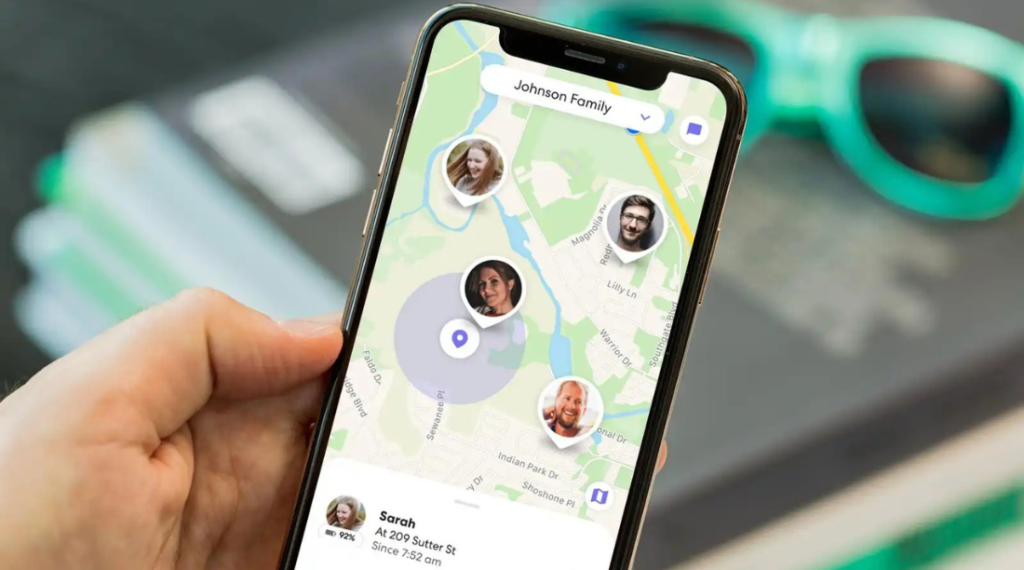
App-based location sharing works through a smartphone that shares its position with approved family members. Built-in phone ecosystems and family safety apps usually rely on this approach.
Older children often find this option more natural because it uses a device they already carry. Consistent performance, however, still depends on battery life, connectivity, and whether the phone stays with the child.
Alerts and Safe Zones
Geofencing lets parents create virtual boundaries around places such as home, school, or a relative’s house. Automatic alerts appear when a child arrives at or leaves one of those saved locations.
For many families, those notifications matter more than constantly checking a live map. Arrival and departure updates reduce stress while keeping attention on the moments that matter most.
What Are the Main Ways to Track Your Child?
Parents usually compare four main options: GPS smartwatches, dedicated GPS trackers, family location-sharing apps, and Bluetooth trackers. Each method solves the same problem in a different way.
Device choice often comes down to whether your child already has a phone and how much real-time visibility you want. Communication features, wearability, and charging habits also shape which option works best.
1. GPS Smartwatches for Kids
GPS smartwatches combine location tracking with a wearable format that stays on a child’s wrist. Many models also include safe-zone alerts, SOS buttons, and basic calling features.
Younger children often benefit most from this format because no phone is required. A watch can also be harder to misplace than a loose tracker carried in a pocket or backpack.
2. Dedicated GPS Trackers
Dedicated GPS trackers focus mainly on location visibility instead of broader smartwatch or phone functions. Small size makes them easy to place in a backpack, jacket, or another item your child carries every day.
Families who want a simple tracking-first solution often prefer this category. In that context, brands like Family 1st can be a useful option to consider when a parent wants a straightforward kids’ tracker without turning to a phone-based setup.
3. Family Location-Sharing Apps
Family location-sharing apps work best when a child already uses a smartphone. Shared family accounts usually allow parents to view live location, receive place alerts, and coordinate with multiple household members.
Teens and older kids often prefer this option because it feels less like carrying an extra tracking device. Everyday use becomes easier when location sharing fits into an existing phone routine.
4. Bluetooth Trackers and Their Limits
Bluetooth trackers sometimes appear in conversations about child safety because they are small and easy to carry. A true child tracking tool, however, offers far more useful location coverage than a simple item finder.
Short-range finding is where Bluetooth trackers work best. Long-distance monitoring and dependable real-time visibility usually require a GPS-based solution instead.
Which Tracking Option Is Best by Age?
Age shapes almost every part of the decision. What works well for a first grader may feel inconvenient, excessive, or impractical for a teenager.
Younger Children
GPS smartwatches and dedicated trackers usually make the most sense for younger children. Phone-free tracking gives parents visibility without requiring the child to manage a smartphone.
Wearable devices often add extra reassurance because they stay attached more consistently during daily routines. SOS tools and safe-zone alerts can also be especially useful at this stage.
School-Age Kids
School-age children may do well with either a GPS watch or a dedicated tracker, depending on school policies and how active their daily routine is. Comfort matters a lot because children are less likely to use a device that feels distracting or bulky.
Charging frequency matters just as much. A tracker that needs too much maintenance often becomes less helpful over time.
Teens with Phones
Smartphone-based location sharing usually works best for teens. Using a device they already carry helps location tracking feel more like coordination and less like a separate monitoring system.
Family communication often improves when location sharing supports everyday planning, rides, and emergencies rather than constant supervision. That balance becomes more important as independence grows.
Are GPS Trackers Better Than Tracking Apps?
GPS trackers are usually better for younger children who do not carry a phone, while tracking apps are often a better fit for older kids who already use a smartphone every day. Choice depends less on which option is “better” overall and more on which one fits your child’s routine with fewer gaps and less effort.
| Factor | GPS Trackers | Tracking Apps |
| Best for | Younger children without phones | Older kids and teens with smartphones |
| Device needed | Dedicated tracker or GPS watch | Smartphone |
| Real-time visibility | Often more consistent for child-focused tracking | Depends on phone settings, battery, and connectivity |
| Battery reliability | Usually designed mainly for tracking | Affected by overall phone use throughout the day |
| Communication features | May include SOS or basic calling on some devices | Depends on the app and the phone |
| Ease of use | Helpful when parents want a simple tracking-first setup | Convenient when the child already carries a phone |
| Monthly cost | Often includes a subscription | May cost less upfront, though some apps offer paid plans |
For families with younger children, a dedicated tracker often feels more dependable because it is built mainly for location visibility. Once a child already carries a phone consistently, app-based tracking usually becomes the easier and more natural option.
What Features Should Parents Look For?
Choosing a child location tracker becomes easier when the focus stays on the features that affect everyday use. Instead of chasing the longest feature list, parents should look for functions that improve safety, reliability, and convenience in real situations.
- Real-time location accuracy: Reliable updates matter most during school travel, outings, and schedule changes. A tracker should provide location data that feels dependable enough for everyday decision-making.
- Geofencing and location alerts: Safe-zone alerts can tell you when your child arrives at or leaves places like home, school, or a relative’s house. For many families, that is more useful than watching a live map throughout the day.
- SOS and communication features: Some devices include an SOS button, calling tools, or basic two-way communication. Those features can be especially helpful for younger children who may need a quick way to reach a parent.
- Battery life: A tracker is only useful when it stays powered long enough to cover the parts of the day that matter most. Longer battery life usually means fewer interruptions and less stress for parents.
- Comfort and ease of use: Devices that feel too bulky, distracting, or difficult to charge often become harder to use consistently. A simple tracker that fits naturally into a child’s routine usually works better over time.
- Privacy controls: Data protection matters just as much as tracking performance. Parents should understand who can access the child’s location, how the information is stored, and whether the privacy settings are easy to manage.
- Subscription cost: Many GPS trackers require a monthly plan for live updates and connectivity. Looking at the long-term cost, not just the purchase price, gives a more realistic view of value.
How Do Popular Child Tracking Tools Compare?
Popular child tracking tools usually fall into three broad groups: built-in phone location tools, family safety apps, and dedicated GPS trackers.
Each option works best in a different setting, so comparison matters more when it is tied to your child’s age, device use, and daily routine.
Apple Find My: Best suited for families already using Apple devices. Location sharing works well when a child already has a compatible iPhone, iPad, or Apple Watch and the family is comfortable managing everything inside the Apple ecosystem.
Google Family Link: A practical choice for Android families who want parental supervision tools along with location visibility. This option usually makes more sense for children who already carry an Android phone rather than younger kids who still need a separate tracker.
Life360: Built around shared family location, place alerts, and real-time coordination. Busy households often find it useful for managing pickups, arrivals, and schedule changes across multiple family members.
Dedicated GPS trackers: A better fit for younger children who do not carry a smartphone consistently. Parents who want a simple tracking-first setup may lean toward this type of option, and brands like Family 1st can be worth considering when the goal is a straightforward child-friendly tracker rather than a full app-based system.
No single tool leads in every category. A platform-based app may feel easiest for teens, while a dedicated tracker can make much more sense for a younger child who needs location visibility without phone dependence.
When Does Child Location Tracking Fall Short?
Child location tracking can be helpful, but it does have limits. Signal issues, battery loss, delayed updates, and device habits can all affect how reliable a tracker feels in everyday use.
- Low battery or no power: A tracker cannot do much once the battery runs out. Regular charging matters just as much as the device itself.
- Weak cellular or internet connection: Basements, crowded areas, rural zones, and some school buildings can reduce location accuracy or delay updates. Coverage gaps are a normal part of real-world tracking.
- Delayed location refresh: Live tracking is not always instant. Some tools refresh more slowly to save battery, which can make the location appear slightly behind the child’s actual movement.
- Forgotten or removed device: A phone left in a locker or a tracker left in a backpack at home will only show the device’s location, not the child’s exact movement. Consistent use is one of the biggest factors behind reliable tracking.
- Limited context: A map can show where your child is, but it cannot explain what is happening around them. Location visibility is useful, though it still works best alongside check-ins, communication, and family routines.
Knowing these limits helps parents use tracking more realistically. A well-chosen device can improve peace of mind, but it should support family safety rather than replace direct communication.
How Can Parents Use Tracking Responsibly?
Using location tracking responsibly starts with treating it as a safety tool, not a replacement for trust. The goal should be to support daily coordination, emergencies, and peace of mind without turning tracking into constant surveillance.
- Explain why tracking is being used.
Children are more likely to accept a tracker when the purpose is clear. Framing it around safety, school travel, pickups, or emergency support usually creates better understanding than using it without discussion. - Match the level of tracking to the child’s age.
Younger children often need closer visibility because they are still building independence. As children grow older and manage routines more confidently, tracking should become lighter and more situational. - Use alerts instead of constant checking.
Safe-zone notifications and arrival alerts usually work better than repeatedly opening a live map. That approach reduces stress for parents and makes the tool feel less intrusive for the child. - Build tracking into a wider safety routine.
Location visibility works best when it sits alongside check-ins, pickup plans, and simple communication habits. A tracker can support those routines, but it should not become the only system a family depends on. - Review privacy and boundaries regularly.
Family needs can change over time, especially as children get older. Revisiting when tracking is needed, how often it is checked, and what boundaries feel appropriate helps keep the setup useful and respectful.
What Should You Consider Before Choosing a Tracker?
Choosing a child tracker becomes much easier when the decision is based on everyday use instead of just product features. Age, routine, comfort, communication needs, and long-term cost usually matter more than a long list of extra functions.
Your Child’s Age and Daily Routine
Age is one of the first things to consider because it shapes how much support and visibility your child actually needs. A younger child may benefit more from a wearable GPS watch or a dedicated tracker, while an older child may only need app-based location sharing during specific parts of the day.
Routine matters just as much. School schedules, walking routes, after-school activities, and pickup patterns all affect how often tracking will be used and what kind of device makes the most sense.
Whether Your Child Already Has a Phone
A child who already carries a phone consistently may do well with a location-sharing app. In many families, that setup feels simpler because no extra device needs to be charged, carried, or managed separately.
Children who do not yet use a smartphone regularly usually need a dedicated tracker instead. In that case, a GPS watch or a child-friendly tracker can offer more consistent location visibility.
Whether Calling or SOS Features Are Needed
Some families only want location updates, while others want the child to have a quick way to reach a parent. Calling tools and SOS buttons become more valuable when a child is starting to spend more time away from direct supervision.
Devices with those features can give parents more peace of mind during school commutes, outings, or activity drop-offs. For younger children in particular, communication support can be just as important as location tracking.
Comfort, Wearability, and Ease of Use
A tracker only works well when a child is comfortable using it consistently. Bulky devices, awkward designs, or trackers that feel distracting during school and play are less likely to stay part of the daily routine.
Ease of use matters for parents too. Charging, setup, and day-to-day management should feel simple enough to maintain without adding unnecessary stress.
Budget and Ongoing Subscription Costs
Cost should be looked at from a long-term perspective, not just at the time of purchase. Many GPS trackers require a monthly subscription for cellular connectivity, live updates, and alert features.
A lower upfront price does not always mean lower overall cost. Comparing both the device price and the ongoing plan gives a clearer picture of which option offers the best value.
Final Thoughts
Finding the best way to track your child’s location comes down to choosing a method that fits your child’s age, routine, and level of independence. GPS watches and dedicated trackers often work best for younger children, while phone-based location sharing usually makes more sense for older kids and teens.
A helpful tracking solution should feel reliable, practical, and easy to maintain in everyday life. When technology is paired with trust, communication, and clear expectations, location tracking becomes much more useful for families.
FAQs
Is it safe to track your child’s location?
Yes, it can be safe when the tracker comes from a trusted provider and includes clear privacy protections. Responsible use also depends on open communication and appropriate family boundaries.
What is better for kids, a GPS watch or a phone app?
A GPS watch is usually better for younger children who do not carry a phone. A phone app is usually better for older children and teens who already use smartphones every day.
Do child location trackers require a subscription?
Many dedicated GPS trackers do require a monthly subscription because they rely on cellular connectivity for live updates. App-based tools may reduce hardware costs, but some still include premium paid features.
Can location tracking work without internet?
Location systems may still estimate position briefly in limited conditions, but live sharing is usually less reliable without internet or stable connectivity. Most families should expect some loss in performance when signal quality drops.
At what age should parents use location tracking?
No single age works for every family. Better decisions come from considering maturity, routine, travel independence, and how openly the family can discuss the reason for tracking.